Step into the grid
from a browser tab.
WolfStorm is our own 3D viewer, and it runs inside the browser you are reading this in. No installer, no download, no waiting — click, log in with your avatar, and you are standing in Wolf Territories Grid.
Free to play. You need a Wolf Territories Grid avatar to log in — that is free too. Works best in Chrome, Edge or Brave on a desktop or laptop.
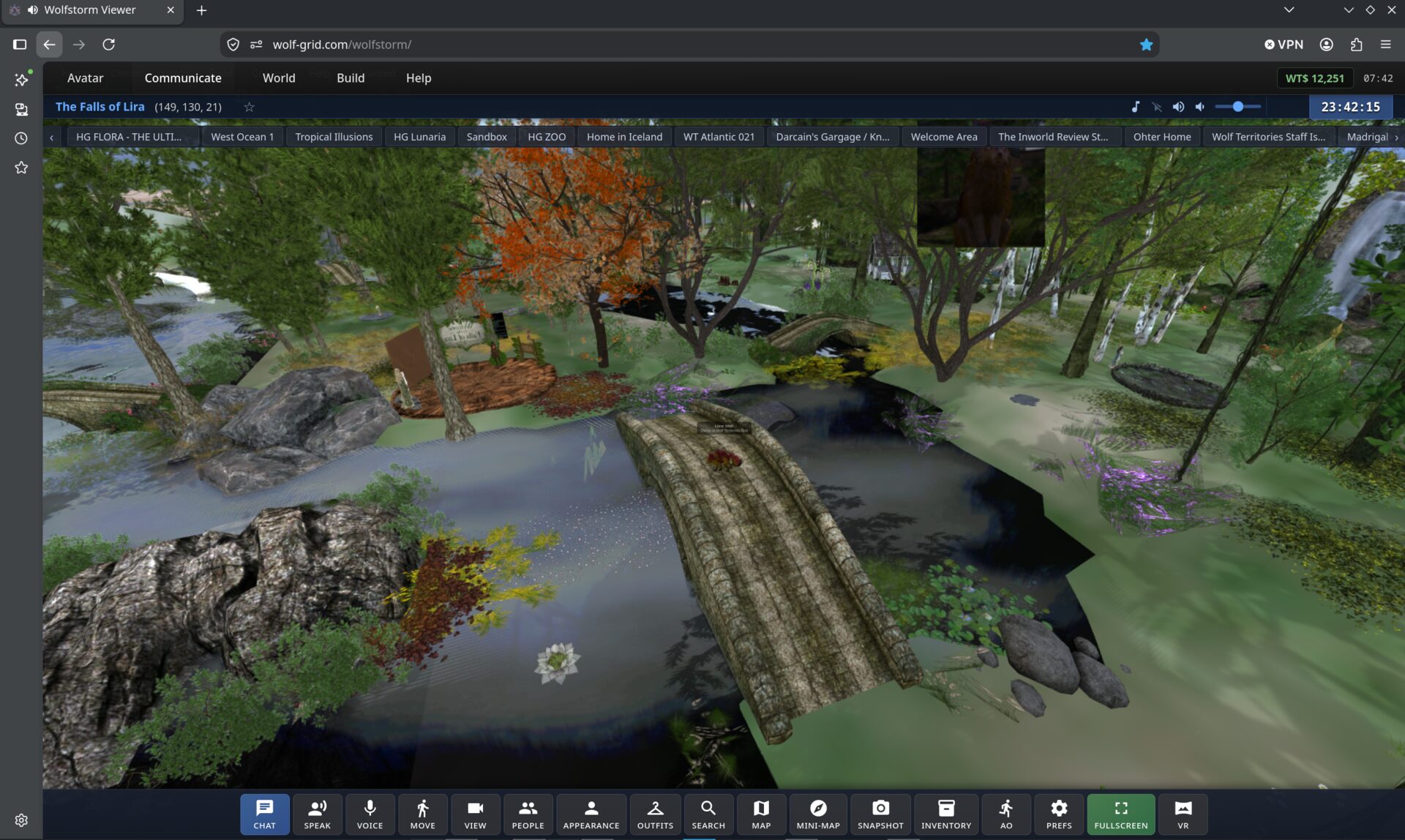
A whole viewer, not a demo
Everything on the toolbar in that screenshot works. This is what you get.
Chat & IM
Local chat and instant messages.
Speak & voice
Talk to the people around you.
Move & camera
Walk, fly and swing the view.
Look & outfits
Appearance editor and outfit switching.
Inventory
Your whole inventory, ready to rez.
Map & search
World map, mini-map and grid search.
Snapshots
Grab a picture of where you are.
Fullscreen & VR
Go fullscreen, or into a headset.
Or install WolfViewer
Our own desktop viewer — a build of Firestorm that arrives pre-set to Wolf Territories Grid, with voice working out of the box. It installs alongside any Firestorm you already have and keeps its own settings, so nothing you use today is touched.
WolfViewer is free and open source — built from Firestorm and pre-configured for this grid. All downloads.
Using plain Firestorm instead? Add the grid
WolfViewer already has the grid built in — this is only for the standard Firestorm download.
With Firestorm installed, click here to add the grid automatically.
If that does nothing, add it by hand: Viewer → Preferences → OpenSim,
paste http://grid.wolfterritories.org:8002/
into the Add New Grid box and click Apply. Wolf Territories Grid then
appears in the grid list at the bottom of the login screen.
Older computers that cannot run Firestorm 7
Firestorm 6.6.14 is the last build for lower-spec machines:
No avatar yet?
Membership is free, your inventory arrives pre-loaded, and you land on the Welcome Mountain where a Peacekeeper can help you find your feet.